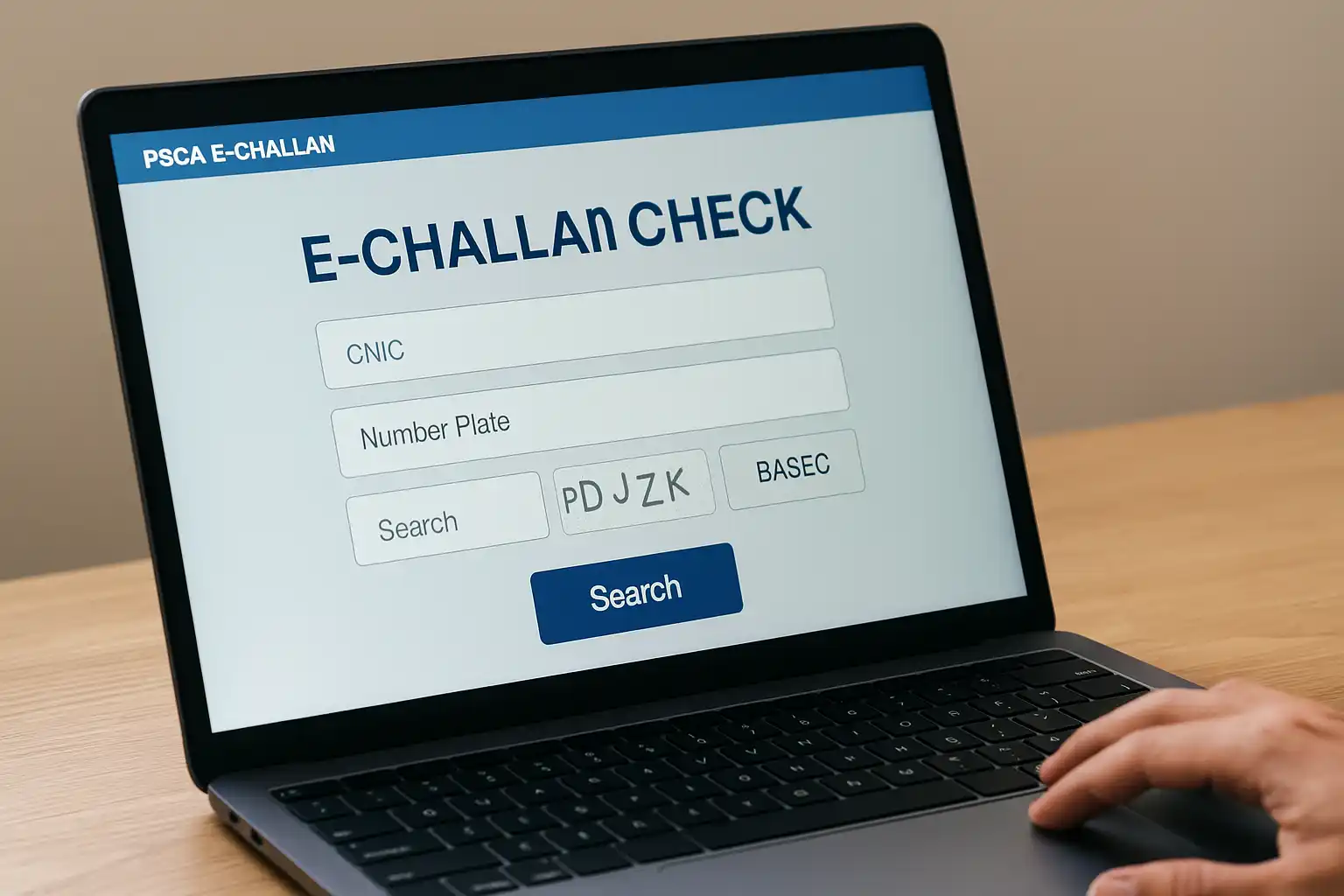
PSCA E-Challan Website 2025 – Check Fine by CNIC, Number Plate (Complete Guide)
Punjab’s traffic management system has undergone a major transformation over the past few years, and in 2025, the PSCA E-Challan Website has become the backbone of digital traffic enforcement. The Punjab Safe Cities Authority (PSCA) has created a fully automated system where all traffic violations are detected, verified, uploaded, and managed online. This system allows drivers to check their fines using CNIC or the vehicle number within seconds.
This complete guide explains how to use the PSCA E-Challan Website, how to check your challan, how to download the fine, and how to pay it online. Whether you received a violation for overspeeding, not wearing a helmet, signal violation, illegal parking, or wrong number plates, the online system shows everything clearly and transparently.
What Is the PSCA E-Challan Website?
The PSCA E-Challan Website is the official traffic violation tracking portal created by the Punjab Safe Cities Authority. Every traffic violation captured by:
- Safe City Cameras
- Automatic Number Plate Recognition (ANPR)
- Digital E-Ticketing Teams
- Traffic Enforcement Units
is automatically recorded on this portal. Citizens can check traffic fines anytime, anywhere, without waiting for physical challan slips.
Check Also: eChallan PSCA GOP PK 2025 – Online Traffic Fine Status Check (Complete Guide)
The website provides:
- Online fine checking
- Challan verification
- Digital challan download (PDF)
- Violation evidence
- Payment options
- Challan history
In 2025, it has become the fastest and most accurate traffic fine management system in Pakistan.

Why the PSCA E-Challan Website Is Important in 2025
Traffic reforms have been a top priority for the Punjab government. With increasing traffic volume, the old manual system could no longer handle the load. The PSCA E-Challan Website ensures:
1. Full Transparency
Drivers can see the exact:
- Violation date
- Location
- Time
- Evidence (image)
- Fine details
No hidden charges and no mistakes.
2. No Physical Challan Required
Even if no officer stops you, your violation appears online automatically.
3. Evidence-Based System
Every challan includes photographic evidence, reducing disputes.
4. Online Payment Options
Citizens can pay fines using bank apps, Easypaisa, JazzCash, ATM, or bank branches.
5. History Tracking
Old and new challans are stored securely in the system.

Information Required to Check Challan
You can check the challan using:
| Method | What You Need |
|---|---|
| By CNIC | Owner’s CNIC number |
| By Number Plate | Vehicle number (LEA, LEC, LZH, etc.) |
| By Challan ID | Unique fine reference number |
Even if the vehicle is sold, the challan appears against the registered owner’s CNIC.

How to Check Fine on PSCA E-Challan Website (Step-by-Step)
Checking a challan on the PSCA website is simple and takes less than a minute.
Step 1: Open the Official Website
Visit the PSCA E-Challan Website using your browser.
Step 2: Choose Search Method
Select one of these:
- CNIC
- Vehicle Number
Step 3: Enter Your Details
Make sure the number plate format is correct and matches your registration book.
Step 4: Enter CAPTCHA
Fill in the security code.
Step 5: Click “Search”
The system shows:
- All pending challans
- Paid challans
- Violation images
- Fine amount
- Status
- Download option
Multiple challans appear in a list if applicable.
How to Download E-Challan PDF
You can download challan by:
- Clicking Download PDF
- Saving the file to your device
- Printing it for bank payment
Each challan includes:
- Vehicle details
- Violation time
- ANPR code
- QR verification code
- Payment instructions
How to Pay PSCA E-Challan Online (2025)
Punjab supports several digital payment options.
1. JazzCash
- Open app
- Select Traffic Challan
- Enter CNIC or Challan ID
- Confirm and pay
2. Easypaisa
- Go to Government Payments
- Choose Punjab Traffic Police
- Enter details
- Pay instantly
3. Mobile Banking
Use the app of:
- Meezan
- HBL
- UBL
- MCB
- Bank Alfalah
- Allied Bank
Just select Government Payments → Traffic Challan.
4. ATM
Insert card → Bill Payments → Traffic Challan → Pay.
5. Bank Counter Payment
Print challan → Visit any 1Link member bank → Submit fee.
How to Verify Payment Status
To confirm if your challan is paid:
- Revisit the PSCA E-Challan Website
- Enter vehicle number or CNIC
- Check status beside challan
- “PAID” will appear in green once updated
Updates usually take 1–2 hours.
Traffic Violations Captured in 2025
The Safe City cameras record dozens of violations daily. Here are the most common ones:
| Violation | Fine (Rs.) |
|---|---|
| Red Signal Violation | 2,000 |
| No Helmet (Bike) | 2,000 |
| Overspeeding | 750–2,000 |
| Lane Violation | 1,000 |
| Wrong Number Plate | 5,000 |
| Illegal Parking | 500 |
| One-way Violation | 2,000 |
| No Seatbelt (Car) | 1,500 |
Benefits of Using the PSCA E-Challan Website
1. Instant Online Check
Avoid delays and confusion — check challans anytime.
2. Easy Payment Facility
Pay fines quickly using apps or banking channels.
3. Reduced Corruption
No interaction with agents or physical visits.
4. Driver Awareness
Violation history helps citizens improve their driving habits.
5. Secure Digital History
Your challan data is permanently stored online.
Common Issues and Their Solutions
❓ I entered a vehicle number but no challan appears
Challan may still be under processing — check after 24 hours.
❓ My challan is paid but still shows “unpaid”
Allow 1–2 hours for system update. If delay persists, contact PSCA support.
❓ I sold my vehicle, why am I getting challans?
Challans remain under the CNIC of the registered owner until transfer is updated.
❓ Can I challenge a wrong challan?
Yes — file a complaint with PSCA helpline or submit evidence.
Check Also: eChallan.psca.gop.pk 2025 – Online Fine Check & Payment Method (Complete Guide)
Frequently Asked Questions about PSCA E-Challan Website 2025:
1. Is the PSCA E-Challan Website free to use?
Yes, checking fines is completely free.
2. Can I check challan from outside Punjab?
Yes, the website works globally.
3. Is challan payment mandatory before vehicle transfer?
Yes, all fines must be cleared before transfer.
4. How soon does challan appear after violation?
Usually within 24–48 hours.
5. Does PSCA provide video footage?
Only in special legal cases; normally photos are shown.
Conclusion – PSCA E-Challan Website 2025
The PSCA E-Challan Website is one of the most efficient and citizen-friendly digital systems introduced in Punjab. With real-time fine checking, online payment facilities, secure digital history, and transparent photographic evidence, the platform has made traffic law enforcement fair and accessible for everyone. In 2025, drivers can manage all challan-related tasks online, saving time and avoiding hassles.